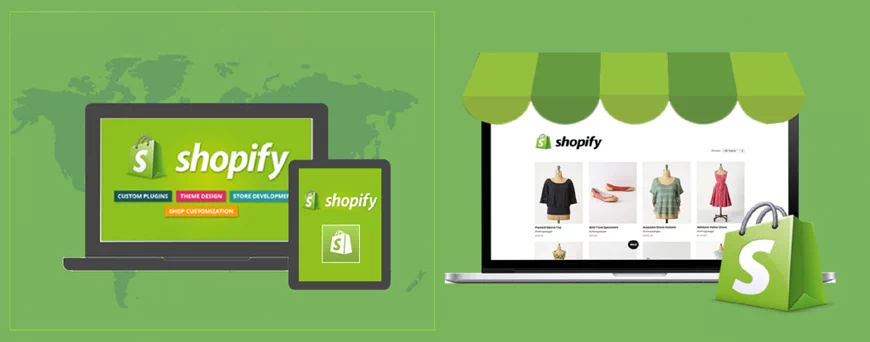
Shopify is operating in 100+ countries including India and powers thousands of online stores through Shopify India store shopify.on, a popular e-commerce platform for small to medium-sized merchants to run their own stores without having the technical know-how to develop or maintain a website & that anyone can use to create and power online stores in India e-commerce market .Shopify dropshipping India is ideal for entrepreneurs who are looking to set up their own business with little up-front investment and with ready made features that helps to keep store running, fully functional while they focus on sales and business growth.
Shopify is simple to use and you can start building your store with little technical expertise and one has access to several themes to choose attractive designs.Seasonsway.com #1 dropshipping supplier of top Shopify stores in India featuring 185000+ high-quality products of clothing & apparels, electronic, mobile accessories, home appliances and many more.
Shopify stores India fees starts at INR 2560/month to run your business and constitues majority of online sales by selling world-wide.Merchants can customise their storefronts, keep track of orders and manage customer data via a web browser. The platform provides features such as hosting, templates, a web dashboard to manage products and orders, a secure shopping cart, SEO tools, customer service support, mobile optimised stores, and an iOS app which offers merchants the convenience of managing their business on-the-go.
Seasonsway.com since 2012 is trusted suppluer of Shopify stores in India featuring readymade Shopify catalogues of most popular niches in online shopping offering maximum profit,hassle-free listing & selling of products, fully automated system with the facility of API integration in addition to this direct listing on e-commerce market places like Amazon with express shipping and no question asked refund policy to delight customers amidst our varied collections from our manufacturing to luxury brands.You lose out if you're not selling on Shopify India. Export your product catalogue to Shopify, and sell your products to millions of shoppers in India and world.Shopify Dropshipping India with Seasonsway.com
Seasonsway offers facility of bulk product uploading in Shopify to save your time.Each category needs different fields & parameters to upload the product.
Charges for uploading starts from INR 1499 per 1000 products for single category. For more details email: support@seasonsway.com
Push to Shopify Service
Seasonsway easy to use Push to Shopify Service to push products from individuals website to your Shopify seller account with a single click saving your time and energy to upload the products manually
Charges for PUSH TO SHOPIFY SERVICE starts from INR 11999 for one e-commerce store. For more details email: support@seasonsway.com
Product Promotion in Shopify
Seasonsway offers a comprehensive guide for selling listed products under ongoing sales & promotions by Shopify so to boost your sales especially during the festive seasons.
Charges for How to Put Products in Sales & Promotions of Shopify store starts from INR 999 for one seller account. For more details email: support@seasonsway.com
Shopify dropshipping API integration
Seasonsway provides fully automated solution for Shopify dropshipping with facility of auto-order placing from Shopify seller account to your dropshipping supplier,tracking details automation,auto update of inventory for in-stock and out-of stock products with API integration
Charges for FULLY AUTOMATED AMAZON DROPSHIP SERVICE starts from INR 34999 for one e-commerce store. For more details email: support@seasonsway.com
The true cost of using Shopify
Shopify basic plan starts at INR 2175 +18% TAX per month or INR 31000/year, and you can upgrade to the Shopify plan for INR 5925 +18% TAX or INR 84000/ year and the Advanced Shopify plan for INR 22425 +18% TAX per month or INR 318000/year.
Shopify plans includes domain name, SSL certificate, and web hosting.
The basic plan comes with features to set up a new online store. You can add unlimited products, 2 user accounts, unlimited file storage, and more.
However, this pricing doesn't include third-party tools and add-ons that you will need to take your Shopify store to the next level. As your business grows, these costs will start adding up, and you'll soon be paying a lot more than the basic plan.
Payments are another factor that affects your costs. Shopify offers their own Shopify Payments solution which costs 2.9% + 30 cents per transaction.
If you want to use third-party payment gateways or your own merchant account, then you will be charged a flat fee of 2.0% for all transactions. You can reduce this fee to 0.5% by using the Shopify Advanced plan which costs INR 26000 per month.
These payment processing fees are fairly steep when using external payment gateways. However, if you're just starting out and want to use the Shopify payment solution, then the fees are fairly comparable to popular platforms like Stripe and Braintree.
Shopify - Ease of Use
Shopify is a fully hosted platform which means you don't need to install, manage, or update any software. You also don't need to worry about security, performance, backups, and compatibility issues.
As soon as you sign up, it helps you pick a design for your website. After that, they walk you through customization and then help you add products.
Shopify comes with an intuitive drag and drop interface. Managing your products, sales, and inventory inside Shopify is easy.
One downside of this guided, polished, and highly optimized user experience is that it limits your control. You can only use the design and development tools provided by Shopify or add-ons available in their marketplace.
Payment Options in Shopify
Shopify offers plenty of payment options that you can use to receive payments from customers. It has its own payments solution called Shopify Payments (powered by Stripe) as well as all popular third-party payment gateways.
The problem is that Shopify charges an extra 2% fees on each transaction made through third party payment gateways. This is on top of the transaction fees charged by the payment gateway.
Shopify Payments has flat credit card fees, but no other transaction fees. Credit card rates start from 2.9% + 30% for the basic plan and get lower for other plans.
Shopify Add-ons and Integrations
Shopify comes with a API and an App Store where you can buy third-party add-ons for your Shopify store. They have hundreds of apps in the store covering every feature you'll want to add to your store.
For lead generation, they have integrations with software like OptinMonster which helps you grow your email list and reduce cart abandonment. They have apps for SEO, product reviews, discounts, countdowns, and more.
Shopify's app store contains both free and paid apps. Free apps are usually created by third-party services that have their own pricing, and the app only integrates your store to their APIs. Pricing for paid add-ons varies and most apps offer monthly subscriptions.
Dropshipping with Shopify
When building a dropshipping business, the front-end of your website will look just like any online store. Your users will be able to browse the products, add them to cart, and make payment, just like they would do on any other eCommerce store.
Depending on the vendors you choose, you will then have to place user's order for shipping.
Shopify also has integration apps for several popular dropshipping marketplaces like AliExpress, Oberlo, Printify, and more. However, each of these product marketplaces has their own membership fees, shipping, and other charges that you need to keep in mind when building your dropshipping website with Shopify.
Scalability on Shopify
Shopify handles the technical parts of your store which means you don't ever have to worry about performance, security, and scalability. Once your business starts growing, you can simply upgrade your Shopify plans.
Their infrastructure can easily handle your growing business without you having to worry about downtimes, backups, updates, or security. They also offer enterprise services as part of the Shopify Plus plan.
This takes out the painful part of the growth, but it also adds to your cost of business. Your expenses will grow, and you'll have to plan accordingly.
Support Options on Shopify
Shopify is a fully hosted platform, which means they control the software and they are the ones who know their platform the best.
Shopify provides 24/7 support via chat, email, and Twitter. For users who want to fix things on their own, Shopify offers extensive documentation, how-to guides, knowledge base, video tutorials, and forums.
It also maintains a directory of Shopify Experts that you can hire if you need extra help or if you want to integrate a third-party solution.
Shopify doesn't provide support for any third-party apps or themes that you are using.
Seasonsway.com assist and guide all the steps needed to create your own ecommerce store.Here are the steps you need to take to open a drop shipping store with Shopify.
1. Book Domain Name for Your Shopify Dropshipping Store
This is the first step that you'll take towards opening your Shopify drop shipping store. Here are some top tips for coming up with a domain name for your online store:
Keep it simple.
Be creative.
Make it memorable
2. Creating a Shopify Account
Creating an account for your Shopify dropshipping store is a simple and quick process. To start, you'll need to visit Shopify's homepage. Once you've loaded the page you'll see an empty field at the top of the screen where you'll need to enter your email address.
3. Optimizing the Settings for Your Shopify Account
At this point in our Shopify dropshipping guide, we're going to go through the settings of your newly created Shopify account. This step is essential so you can receive money from your customers, create your store policies, and establish your shipping rates.
4. Launching Your Shopify Dropshipping Store
You’ve now added all the necessary information that you’ll need to launch your Shopify dropshipping store.
To launch your store, simply access the “Sales Channels” option on your Shopify settings. From here select the “add an online store” option.